If you want to send large files free without sign up, the big names all claim they can do it. WeTransfer, Smash, SwissTransfer and Wormhole each let you skip creating an account. But “no account” and “no personal data” aren’t the same thing, and that gap is what this test is about. I first ran this experiment in late October 2026, then repeated it from scratch on November 7, 2026 to see whether anything had changed. I added the same 21.2 MB video to all four services in a normal browser, left every email field blank, and wrote down what happened.
Short version: the result held. Only one of the four gave me a working link without asking who I was.
How I tested
I kept the procedure simple and identical for each service:
- Opened the site in a desktop browser with no account and no login.
- Declined optional cookies where possible, and accepted the terms of use when that was required to continue.
- Added the same sample file,
clip-1080p-15s.mp4(21,202,055 bytes, a 15-second 1080p clip). - Picked “link” mode instead of “send by email,” left every email field empty, and pressed the button to create the link.
- If a link came back, I opened it in a second tab, downloaded the file, and compared it to the original with
ls -land a SHA-256 hash.
I wouldn’t type an email address, a name or anything else personal. If a service stopped me at an email field, that counted as the result. The free-plan limits below come from each tool’s official pricing or FAQ page, checked the same day.
The quick comparison
| Tool | Key Feature | Free Limit | Best For |
|---|---|---|---|
| Wormhole | End-to-end encrypted, no email at all | Up to 10 GB, deleted after 24 hours max | Truly anonymous one-off sends |
| SwissTransfer | Swiss-hosted, generous size cap | 50 GB per transfer, up to 30 days, 250 downloads | Very big files when an email is fine |
| Smash | No hard size cap on free | 2 GB prioritized, bigger files queued; 7 days | Large files you’re not in a rush to send |
| WeTransfer | The name everyone recognizes | 3 GB and 10 transfers per month; up to 3 days | Occasional small batches |
And here’s what the November 7 test actually showed:
| Tool | Email asked before link? | Link created? | Default expiry I saw |
|---|---|---|---|
| Wormhole | No | Yes | 24 hours or 100 downloads |
| SwissTransfer | Yes (marked mandatory) | No | Had to pick one |
| Smash | Yes | No | 7 days (Nov 14, 2026) |
| WeTransfer | Yes | No | 3 days |
Wormhole: still the only one here to send large files free without sign up
Wormhole doesn’t even have an email field. I picked the file and the share link appeared in the address bar immediately, while the upload kept running underneath. Fifteen seconds later, the sender page was already showing the upload as complete and telling me I could close the tab. One quirk: Wormhole follows your browser language, so that page is in Korean in my screenshot.
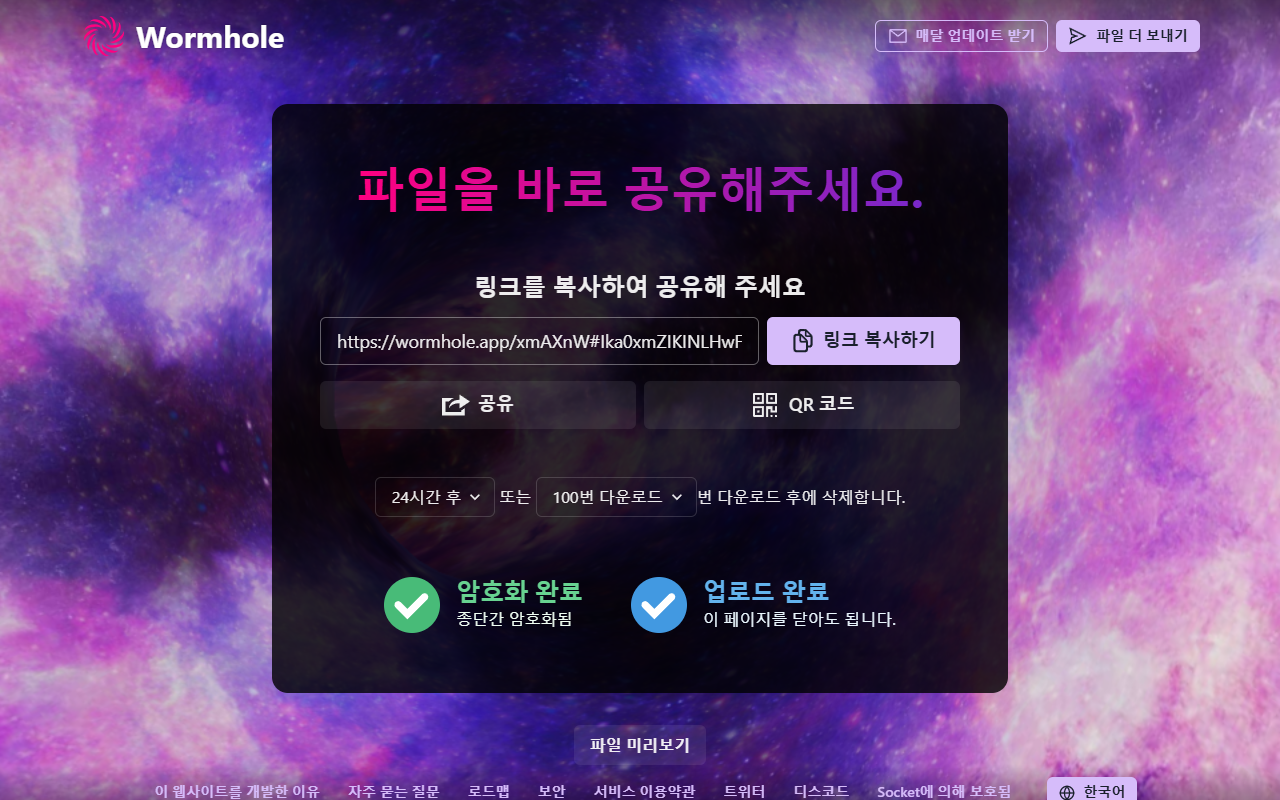
Then I opened the link in a fresh tab. The download page listed clip-1080p-15s.mp4 at 21.2 MB next to a “Download file” button, with no extra prompts. The download finished in under 8 seconds, ls -l showed 21,202,055 bytes for both copies, and the SHA-256 hashes matched: bit-for-bit identical, no re-encoding, no watermark.
The trade-offs are real, though:
- Short life. Wormhole’s FAQ says files are permanently deleted after 24 hours. The expiry menu lets you shorten that to 60 minutes or cap downloads at 1 to 100, but not extend it.
- 10 GB ceiling. The home page says “Send up to 10 GB.” Above 5 GB, the FAQ says it switches to peer-to-peer, so your browser tab has to stay open until the recipient finishes.
- The link is the key. Files are encrypted in the browser with AES-GCM before upload, and the part of the URL after
#is what unlocks them. Anyone holding the full link can download, so send it somewhere private.
SwissTransfer: huge limits, but it wants your email
SwissTransfer’s free tier has the biggest numbers here: 50 GB per transfer, links valid for up to 30 days, up to 250 downloads, and no account needed. Files sit in Infomaniak’s Swiss data centers. One caveat from its own FAQ: data is encrypted in transit and at rest, but it’s “not end-to-end encryption.” Infomaniak also sells paid Pro and Enterprise plans; per a homepage footnote, the 60-day link option is Enterprise-only, while the free tier tops out at 30 days.
In practice, “no registration” still means an email. Even in Link mode, the “Your email address” field carries an asterisk. When I clicked Transfer with it blank, I got “The email field is mandatory,” plus a prompt to pick a link duration. Nothing uploaded.
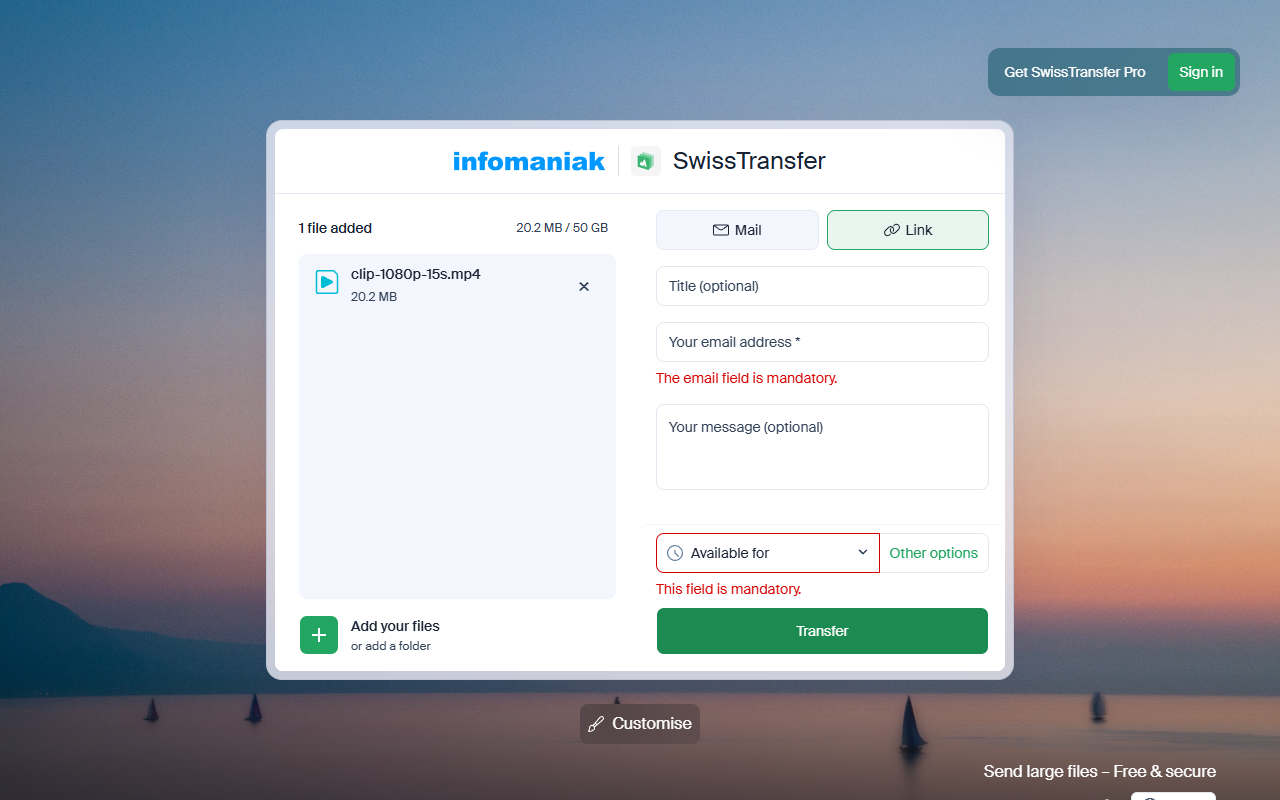
Also worth knowing: the FAQ says creating a transfer “is not available from a number of countries outside Europe.” Downloading works from anywhere. I’d reach for SwissTransfer when the file is massive, the link needs to live for weeks, and handing over an email isn’t a problem.
Smash: no size cap, also an email
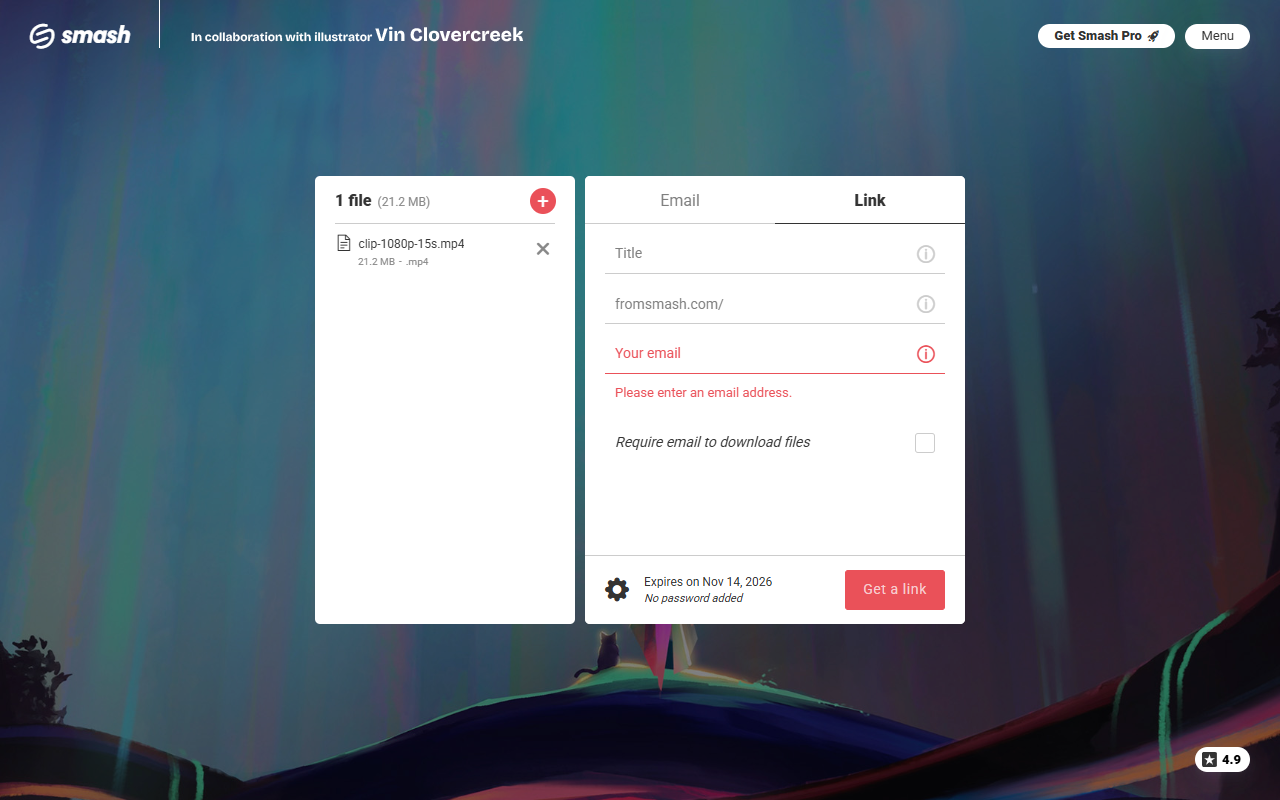
Smash’s pricing page says “No sign-up required” for the free plan, which covers 2 GB per transfer at normal priority. Anything bigger still goes through, but it joins a queue behind Pro transfers. Free links last up to 7 days, and my test transfer showed “Expires on Nov 14, 2026” before I ever pressed send.
When I switched to the Link tab and pressed “Get a link” with the email blank, I got “Please enter an email address.” No account, but it won’t make a link until it knows who you are.
Smash makes sense when you’re sending something enormous, don’t mind waiting in the free queue, and want the link to last a week.
WeTransfer: the familiar choice with the tightest free plan
WeTransfer let me add the file without logging in, and its counter showed “3.0 GB remaining.” I switched from “Send email” to “Create link,” then clicked “Get a link” with the email blank. Up popped “We ask for your email to keep the community safe,” and nothing uploaded.
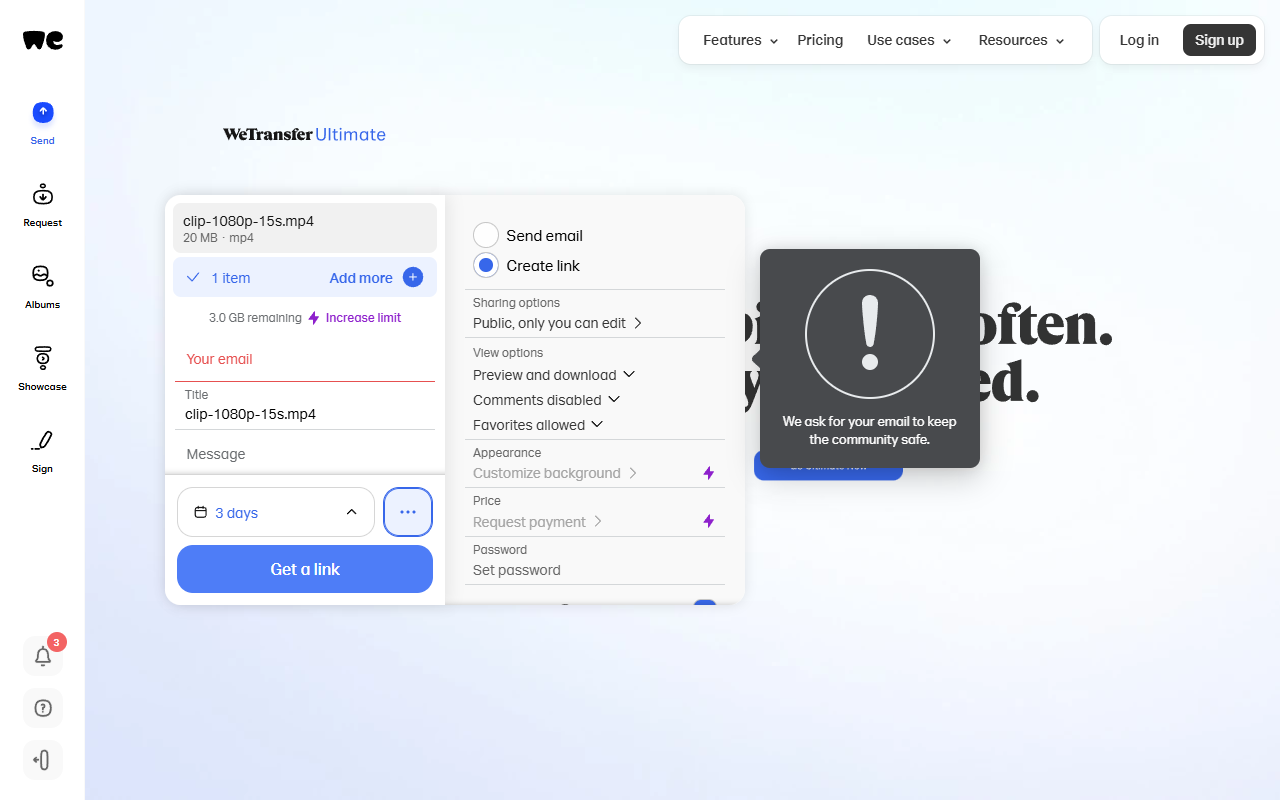
The free plan is also the smallest of the four. Per the pricing page, it covers 3 GB a month across 10 transfers, links expire after up to 3 days, and it’s for “individual, non-commercial use only.” Fine for a few photos, a poor fit for weekly client video.
Which tool should you use?
- No email, no account, file under 10 GB: Wormhole. It’s the only one in this test that fully met the “without sign up” promise, twice in a row.
- Over 10 GB and you need it live for weeks: SwissTransfer, if you’re in a supported country and OK giving an email.
- Over 10 GB and not in a hurry: Smash’s free queue.
- Small, occasional, non-commercial sends: WeTransfer works, within its monthly cap.
All four are built for temporary handoffs: every link here expires, and then the file is gone. If you keep sending the same folders back and forth, a free cloud drive is the better tool; I’ve compared the options in the best free cloud storage services that don’t need a credit card. Sending a screen recording? These free screen recorders with no watermark can help keep the file smaller to begin with.
Frequently Asked Questions (FAQ)
Can I really send large files free without sign up?
Yes, but read the fine print. In my November 2026 test, WeTransfer, Smash and SwissTransfer didn’t need an account, but all three required an email address before creating a link. Wormhole was the only one that needed nothing at all.
Does the recipient need an account to download?
No. The Wormhole link I tested opened straight to a “Download file” button in a fresh tab, and SwissTransfer’s FAQ says no account is required to send or receive files.
Will my video lose quality when I send it this way?
It shouldn’t. My Wormhole download matched the original byte for byte (same size, same SHA-256 hash). SwissTransfer also states files are not converted or compressed.
How long do the free links last?
Wormhole: up to 24 hours. WeTransfer: up to 3 days. Smash: up to 7 days. SwissTransfer: up to 30 days on the free tier. For anything longer, use cloud storage instead.