Most “free trials” of paid cloud storage end with a card form. If you want a cloud storage free trial without credit card details, your options are thin. Of the seven services I checked on November 4, 2026, only one said in plain words that you don’t need a card, and that one is a backup app, not a sync drive. The rest either ask for payment details up front or don’t offer a trial at all. They give you a permanent free plan or a money-back guarantee instead.
This post sticks to one narrow question. For the broader comparison of free tiers, see my best free cloud storage roundup.
How I tested
I opened each service’s official pricing and trial pages in a fresh browser, signed out, and stopped at the first screen that wanted an account or payment. I never typed an email, name or card number. For each one I wrote down three things: the trial length, the step where the card or sign-up form shows up, and how the free plan differs from the trial. Every check below is dated November 4, 2026. I was browsing from South Korea, so a couple of pages showed local prices, and Google One showed no trial offer at all from here. Trial offers do vary by country.
I also read the trial and cancellation help pages Dropbox and Google publish, plus the FAQs on the Sync.com and Icedrive pricing pages. Where a claim comes from a help page rather than what I saw on screen, I say so.
Cloud storage free trial without credit card: the comparison
| Tool | Key Feature | Free Limit | Best For |
|---|---|---|---|
| Backblaze Computer Backup | 15-day trial, no credit card required | Trial only (no permanent free plan) | Testing unlimited PC/Mac backup |
| Sync.com | 30-day trial of Solo 1 TB; card implied | 5 GB free plan | Trying end-to-end encrypted sync |
| Dropbox | 30-day trial on Standard/Advanced; billing info at sign-up | 2 GB Basic plan | Teams testing shared folders |
| Google One | Trials only through specific offers; card required | 15 GB per Google account | People already in Gmail and Photos |
| pCloud | No trial; 14-day money-back | Up to 10 GB, no card | Long-term free use |
| Icedrive | No trial; 30-day money-back | 10 GB | Cheap paid storage later |
| MEGA | No trial shown | 10 GB, limited transfer | Big free plan with sharing |
And the auto-renewal picture, which is what really matters if you forget:
- Auto-renews into a paid plan if you don’t cancel: Dropbox and Google One (both say in their help pages that payment details come before the trial starts). Sync.com’s wording points the same way, though I didn’t get far enough to confirm it.
- No charge unless you pick a plan: Backblaze.
- Nothing to renew, because there’s no trial: pCloud, Icedrive, MEGA.
Service by service
Dropbox
The plans page title literally says “Get a 30-day free trial,” but the trial isn’t on every plan. Plus (US$9.99/month, 2 TB) only had a “Buy now” button when I looked. Standard and Advanced had “Try for free.” Clicking it opened a “Log in or sign up” box before anything else.
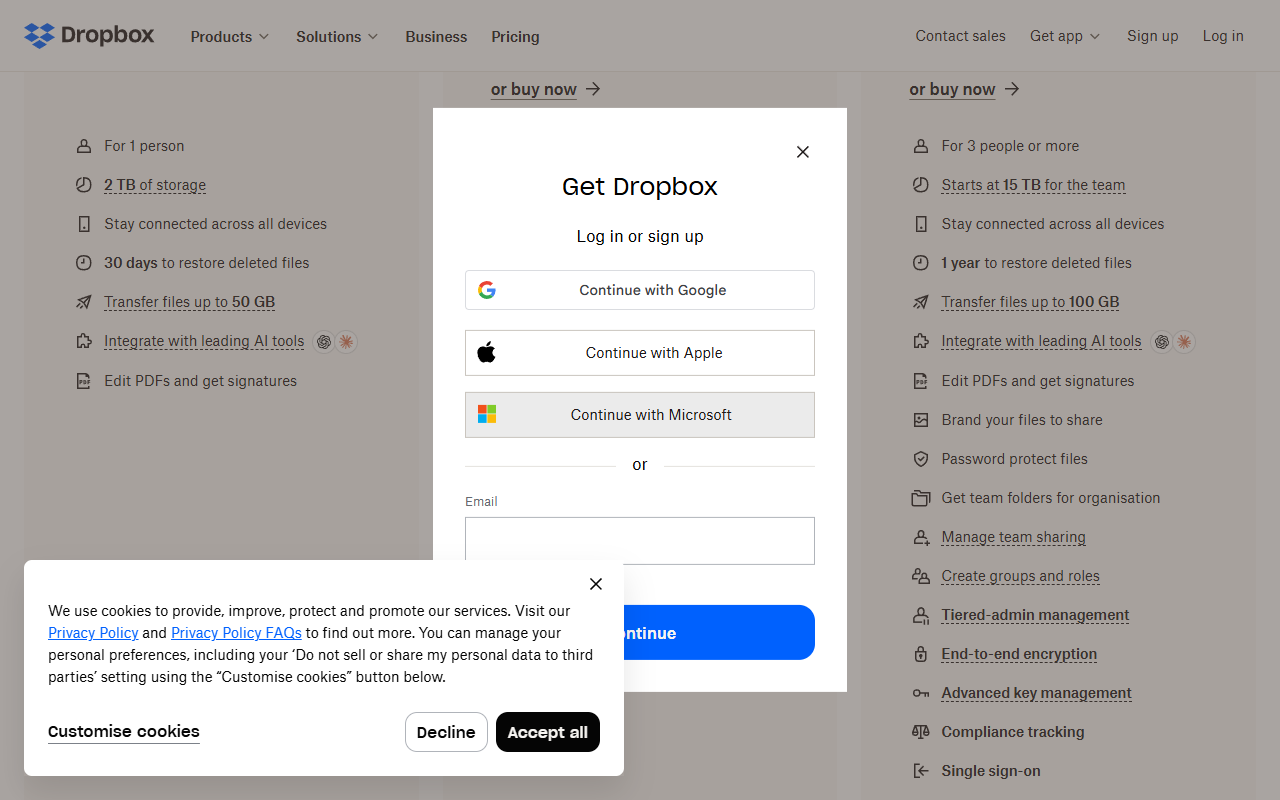
I stopped there. Dropbox’s own free trial help page, updated April 2026, lists the next step as “Complete the sign up and billing information.” So the card form comes right after account creation. The free alternative is Dropbox Basic at 2 GB, which Dropbox is careful to say is not the same thing as a trial.
Google One (Google Drive storage)
Every Google account already gets up to 15 GB, so the free plan is generous. Paid trials are another story. On the plans page, “Get started” went straight to the Google sign-in screen. Google’s trial help article says you choose “a form of payment, like a credit card or debit card,” and that it’s required so the membership can continue when the trial ends. Trial length depends on the specific offer, and they’re for new members only.
Sync.com
Sync’s trial page is honest about it. It says “Your credit card won’t be charged during your free trial,” which tells you a card is expected. The trial covers Solo 1 TB for 30 days, then it lists $16/month.
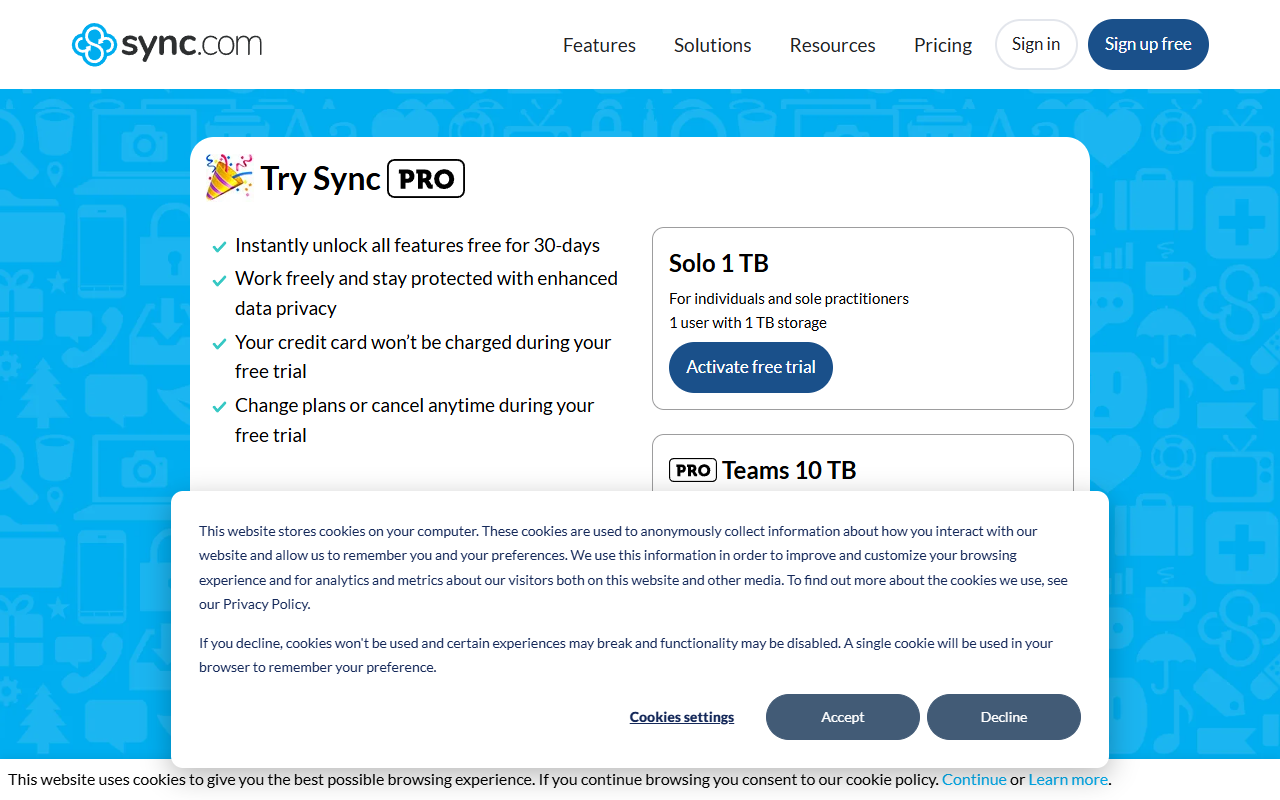
When I opened the “Activate free trial” link, I got a “Verifying your browser…” screen. The page code behind it already had checkout fields for email, name and address, plus an embedded payment frame. Below the trial buttons there’s an “I don’t want to try Pro” link that goes to the 5 GB free plan.
pCloud, Icedrive and MEGA
None of these showed a trial on their pricing pages. Instead:
- pCloud offers a 14-day money-back guarantee on paid plans, and its home page says the free plan (up to 10 GB) needs no credit card.
- Icedrive has a 30-day money-back guarantee and a 10 GB free plan. The free tier skips client-side encryption and file history, which are paid features. Its FAQ calls the free account a way to “try the service before choosing a paid plan.”
- MEGA lists a 10 GB free plan with limited transfer. I saw no trial.
A money-back guarantee isn’t a trial. You pay first and ask for a refund later, so it only helps if you trust yourself to file that request on time.
Backblaze (the cloud backup example)
This is the one clean “no card” answer. The Backblaze personal backup page says “No credit card required. You’re only charged if you choose a plan.” Backblaze’s terms of service set the trial at 15 days. It does ask for an email, and you have to install the desktop app, so it isn’t anonymous.
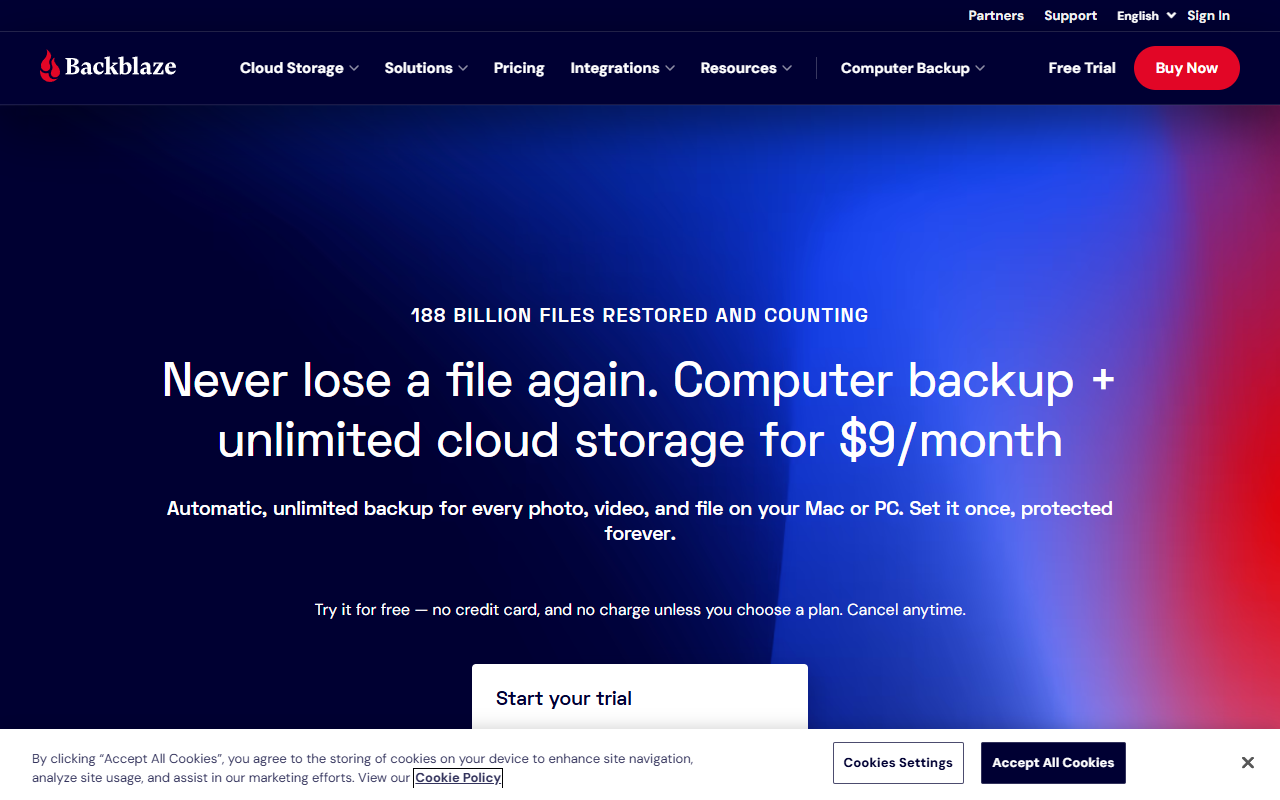
One caveat. Backblaze is backup, not a shared drive like Dropbox. And on a full laptop, the first upload may take longer than 15 days, so you might not see a finished backup before the trial ends.
How to cancel before you’re charged
If you do hand over a card, these steps keep the trial from turning into a bill:
- Set a reminder two days before the end date, not on the day. Google says to cancel before the last day of the trial.
- Cancel where you signed up. Dropbox says trials started on a phone have to be cancelled through the app store, not dropbox.com.
- Know what cancelling does. On Dropbox, a trial paid by card drops to Basic at the end of the trial period, but a PayPal trial drops to Basic right away. Move any files you need before you click.
- Don’t plan on a second go. Dropbox says you can’t restart the same trial for a year.
- Check storage after downgrading. On Google One you’re back to 15 GB. If you’re over that, you won’t be able to add new files until you free up space.
When a permanent free plan beats a trial
Honestly, for most solo users it often does. A trial makes sense when you have a specific test in mind: a team share setup, a big backup, an encrypted workflow you want to try before paying. If you just want somewhere to park files, I’d reach for a free plan first. Google’s 15 GB, pCloud’s up-to-10 GB or Icedrive’s 10 GB don’t expire, and none of them sets up a renewal you might forget about. Use the trial at the point you’ve outgrown the free tier, not before.
Frequently Asked Questions (FAQ)
Is there any cloud storage free trial without credit card details?
Of the services I checked on November 4, 2026, Backblaze Computer Backup was the only one that clearly said no card is required. It’s a backup service, though, not a sync drive.
Does the Dropbox free trial need a credit card?
Dropbox’s help page says you complete “sign up and billing information” when starting a trial. You can pay with a card or PayPal, and either one is charged if you don’t cancel.
Will I be charged automatically when a trial ends?
For Dropbox and Google One, yes, unless you cancel first, and Sync.com’s trial page suggests the same. Backblaze says you’re only charged if you choose a plan.
What’s the difference between a free plan and a free trial?
A free plan, like Dropbox Basic’s 2 GB or Google’s 15 GB, has no end date. A trial unlocks a paid plan for a set period, usually 15 or 30 days here, and then it either bills you or ends.