Cloud storage trials come in odd sizes. Some run 14 days, some 15, most 30, and the 7-day trial people keep searching for barely exists. I put together this 30 day free trial cloud storage comparison to answer the question the pricing pages skip: when the clock runs out, do your files get locked, deleted, or quietly moved to a free plan? I checked each provider’s current trial and policy pages on November 6, 2026, and the answers are more different than you’d expect.
How I tested
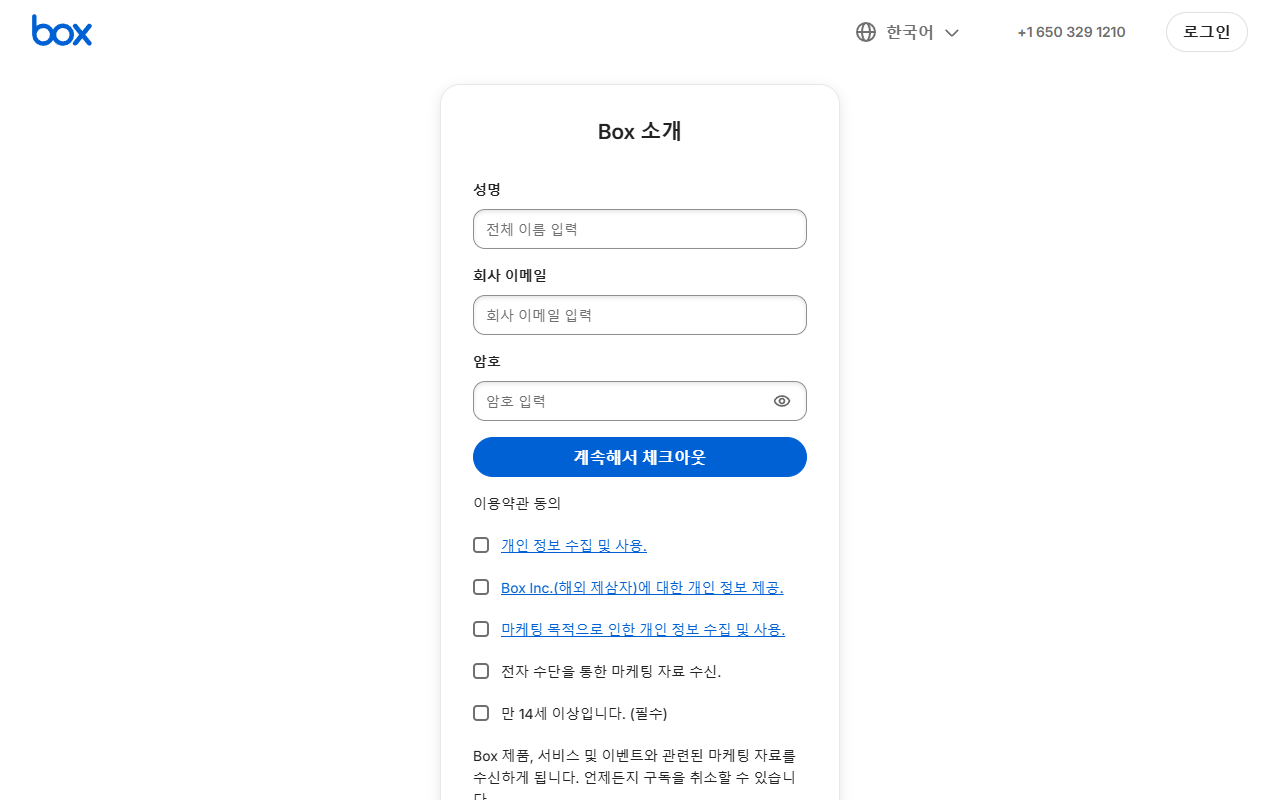
I opened the official pricing, trial and signup pages for Dropbox, Box, Tresorit and Microsoft 365 in a signed-out browser, and read each company’s own help pages on what happens after a trial or downgrade. For Sync.com and Backblaze, I worked from their public trial and pricing pages. I never created an account or entered a card, so everything below about post-trial behavior comes from the providers’ published policies, quoted and dated, not from guesswork. I was browsing from South Korea, which is why one screenshot below shows Korean text. One page I couldn’t reach: Tresorit’s support article on free trials sits behind a bot check, so for Tresorit I relied on the FAQ printed on its own pricing page.
The 30 day free trial cloud storage comparison
Here’s the short version. “Free Limit” is the plan you land on (or don’t) once the trial ends.
| Tool | Key Feature | Free Limit | Best For |
|---|---|---|---|
| Dropbox | 30-day trial on Standard/Advanced, card at sign-up | 2 GB Basic plan | Teams testing shared folders |
| Microsoft 365 (OneDrive) | 1-month trial, auto-renews at $129.99/yr | 5 GB free quota | Office users with big OneDrive libraries |
| Sync.com | 30-day trial of Solo 1 TB, then $16/mo | 5 GB free plan | Encrypted sync on a budget |
| Tresorit | 14-day trial, all features, payment info up front | Basic free plan | Privacy-first users comparing e2e tools |
| Backblaze Computer Backup | 15-day trial, no credit card | No free plan | Backing up a whole PC or Mac |
| Box | Trial on Business plans, length not shown pre-checkout | 10 GB Individual plan | Business file workflows |
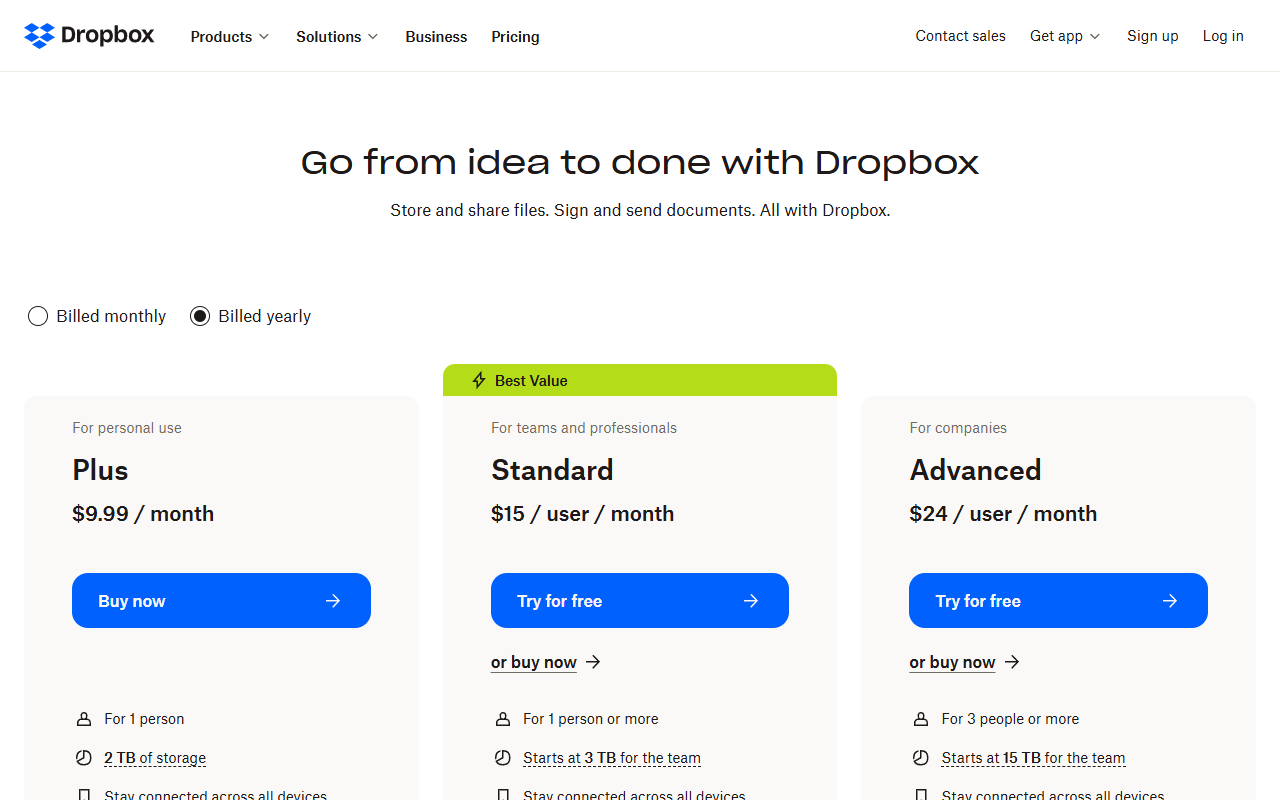
A detail that surprised me on the Dropbox plans page: the title promises a 30-day trial, but the personal Plus plan only had a “Buy now” button. The trial sits on the team-oriented Standard and Advanced plans, and Dropbox’s help page lists “Complete the sign up and billing information” as part of starting it.
7, 14 or 30 days: what each length actually means
The honest finding first: I couldn’t find a single major cloud storage service offering a 7-day trial on the web. The 7-day trials you run into are app-store subscription trials or desktop utilities, not the storage services themselves. If you’ve been searching for a 7-day cloud storage trial, stop; the market splits into three real buckets.
- 14 days (Tresorit — and Box won’t say). Tresorit’s pricing FAQ says you can “try any of our plans for free, for 14 days without any limitations,” and that payment information is required during the trial. Box is murkier. Its pricing page says “Start a Free Trial,” but neither that page nor the signup screen told me how long the trial is. The form asked for my name, company email and password, and the next button went straight to checkout.
- 15 days (Backblaze). The one trial with no card at all: “No credit card required. You’re only charged if you choose a plan.” It’s backup rather than a sync drive, and at $9/month after the trial it’s priced like a utility, not a file-sharing tool.
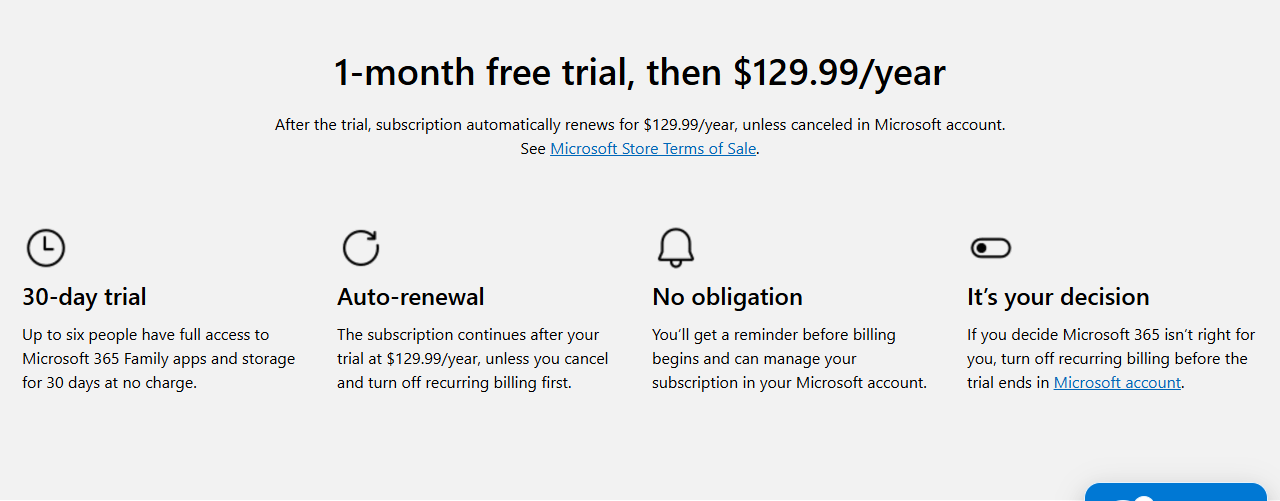
- 30 days (Dropbox, Sync.com, Microsoft 365). All three take payment details up front and convert to a paid plan if you do nothing. Microsoft’s trial page is at least blunt about it: “After the trial, subscription automatically renews for $129.99/year, unless canceled.”
Longer isn’t automatically better. A 14-day trial with every feature unlocked (Tresorit’s model) tells you more than a 30-day trial you forget about in week two — and the longer the trial, the easier it is to forget that your card details are already on file. If card forms are your main worry, I went deeper on that in my post on which cloud storage trials demand a credit card.
What happens to your files when the trial ends
This is the part nobody puts on the pricing page, and the policies genuinely differ.
Dropbox: downgraded, then a real deletion clause. If you cancel (or the trial lapses without payment), the account drops to the 2 GB Basic plan. Files over the limit don’t vanish on day one — syncing stops and uploads are blocked. But Dropbox’s over-quota help page, updated August 31, 2026, goes further than most people realize: if you stay over the limit after being contacted, “your least recently modified files first may be deleted to bring your account under the limit.” Dropbox says it notifies you before that happens and only touches files you own, but it’s the clearest “we may delete your data” statement of any service here.
Microsoft 365 / OneDrive: the slowest fuse, fully documented. Cancel the trial and your account “reverts to a free account, you don’t lose any data” — but your OneDrive quota falls back to 5 GB. Over that, existing files turn read-only. Microsoft’s storage quota page then lays out a timeline: after three months over the limit your OneDrive is frozen, and after six months “Microsoft might delete your OneDrive and all files within it. Once deleted, these files are non-recoverable.” Six months sounds generous until you remember how easy it is to ignore quota emails.
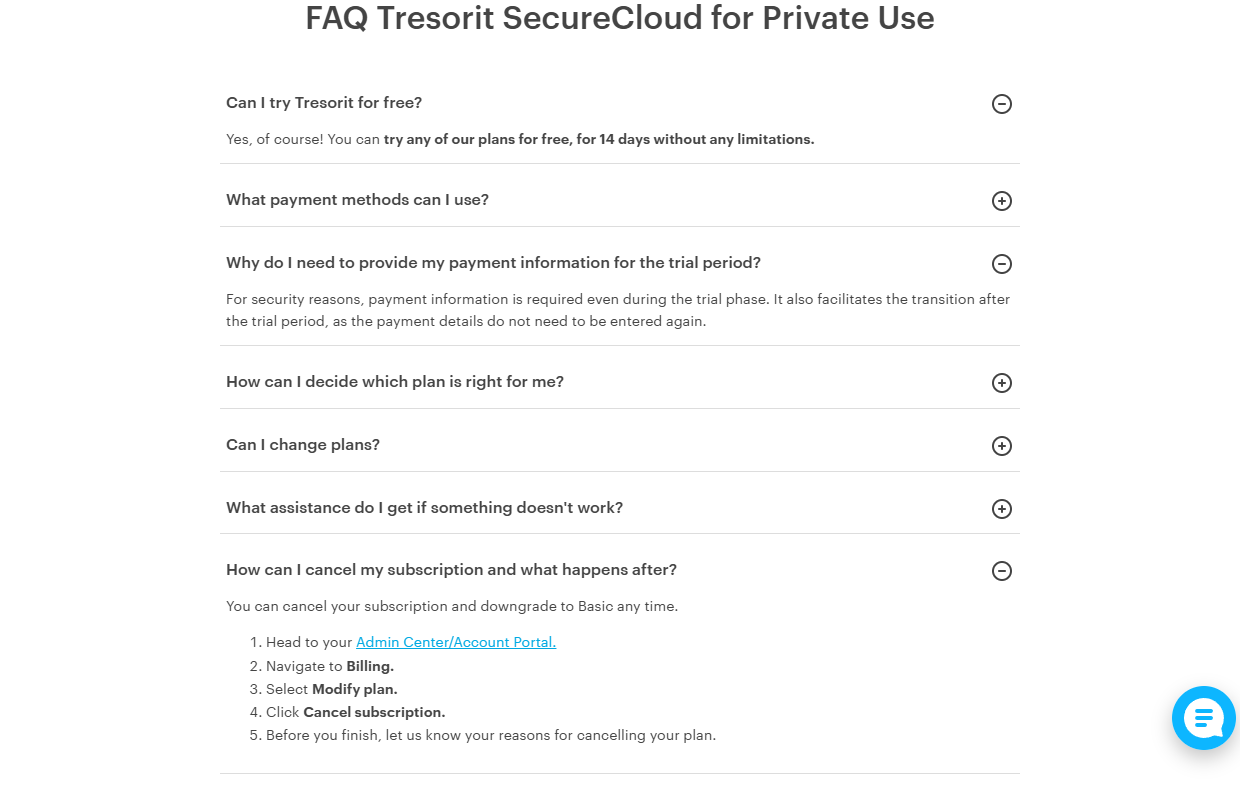
Tresorit: downgrade to Basic, by design. The pricing FAQ says it plainly: “You can cancel your subscription and downgrade to Basic any time.” The same FAQ says your payment information “facilitates the transition after the trial period,” which reads like the trial rolls into a paid plan unless you cancel — the support article that would confirm it was blocked for me, so cancel before day 14 if you only want the test. Tresorit also doesn’t publish, on any page I could reach, what happens to files that exceed the Basic plan’s space, so move anything large out before cancelling.
Sync.com: billed unless you act. The trial page says “Your credit card won’t be charged during your free trial,” which also tells you what happens afterward. There’s a 5 GB free plan to fall back to, but Sync’s help center wouldn’t open for me and its public pages don’t spell out the over-quota rules, so treat the downgrade path as unconfirmed.
Backblaze: no free plan, so the trial end is the deadline. There’s nothing to downgrade to. You’re not charged (no card was taken), but the trial backup stops being licensed, and I couldn’t find an official retention window for expired trial data in Backblaze’s docs. Assume the backup is gone once the trial lapses and restore anything you need before day 15.
Frequently Asked Questions (FAQ)
Is there a cloud storage service with a 7-day free trial?
Not among the major providers, as of my checks on November 6, 2026. Trials cluster at 14 days (Tresorit), 15 days (Backblaze) and 30 days (Dropbox, Sync.com, Microsoft 365). The 7-day trials you see mentioned are usually app-store subscription trials or desktop utilities, not the storage services themselves.
Do cloud storage services delete your files the day a trial ends?
No service I checked deletes anything immediately. The common pattern is a downgrade to a free plan with your files intact but over quota, which blocks uploads and sync. Deletion comes later and conditionally: Dropbox may remove your least recently modified files if you stay over the limit, and Microsoft may delete a OneDrive that stays over quota for six months.
Which trial is safest if I don’t want a surprise charge?
Backblaze, since it takes no card at all. Everything else here routes you through billing details up front, so assume the paid plan starts unless you cancel, and set a reminder two or three days before the end date.
Is a 30-day trial better than a 14-day one?
Only if you’ll actually use the time. The 30-day trials in this comparison all auto-renew into paid plans, while Tresorit’s shorter trial unlocks everything and downgrades to a free Basic plan if you cancel. For a quick evaluation, two focused weeks beat a forgotten month.